Why Your Spreadsheet Is Costing You Customers (And What to Replace It With)
If your team is still managing leads in Excel, you are losing deals. Here is how a unified CRM changes the math on acquisition cost and lifetime value.
Key Takeaways
- 79% of marketing leads are never converted into sales, often because leads are managed in spreadsheets with no follow-up reminders or automation.
- Businesses using a CRM see an average 41% increase in revenue per salesperson, because every lead is tracked, assigned, and followed up.
- The average sales lead is contacted 1.3 times before being abandoned. It takes 5-8 contacts to convert a cold lead, meaning most leads are abandoned long before they would convert.
- A CRM reduces lead response time from hours to minutes. Responding within 5 minutes makes a lead 21x more likely to convert than responding after 30 minutes.
- Spreadsheets cannot automate follow-up, track customer lifetime value, or integrate with your website, phone system, and marketing tools. A CRM does all three.
If your business is managing leads in a spreadsheet, you are losing customers. Not because your spreadsheet is bad, but because spreadsheets are passive. They do not remind you to follow up. They do not tell you when a lead has gone cold. They do not connect to your website, your phone system, or your email. They just sit there, waiting for someone to update them manually.
The problem is that manual lead management does not scale. When you have 10 leads per week, a spreadsheet works fine. When you have 50 or 100 leads per week, leads fall through the cracks. Follow-ups get missed. Quotes go unanswered. And the leads you spent money acquiring disappear into a row that nobody looks at again.
79%
of marketing leads are never converted into sales, often due to lack of follow-up and tracking
The Hidden Cost of Spreadsheet Lead Management
According to research from HubSpot, 79% of marketing leads are never converted into sales. The primary reason is not lead quality. It is lack of follow-up. The average sales lead is contacted 1.3 times before being abandoned. But research from Marketing Donut shows it takes 5-8 contacts to convert a cold lead. This means most leads are abandoned long before they would have converted.
When leads are managed in a spreadsheet, follow-up depends entirely on human memory. An office manager remembers to call the lead from Tuesday but forgets the one from Wednesday. A salesperson follows up with the hot leads but lets the warm ones go cold. There is no system, no reminder, no automation. The result is lost revenue that you cannot see because the spreadsheet does not track it.
What This Looks Like in Practice
- A lead comes in from your website on a Friday afternoon. It sits in the spreadsheet until Monday, by which point the lead has already contacted a competitor.
- A quote is sent on Tuesday. The spreadsheet says 'quote sent' but nobody sets a reminder to follow up. By Friday, the lead has gone cold.
- Two salespeople both contact the same lead because the spreadsheet does not show who has already called. The lead feels harassed and goes elsewhere.
- A customer who bought from you 6 months ago is sitting in the spreadsheet with no follow-up scheduled. They would have bought again, but nobody asked.
What a CRM Does Differently
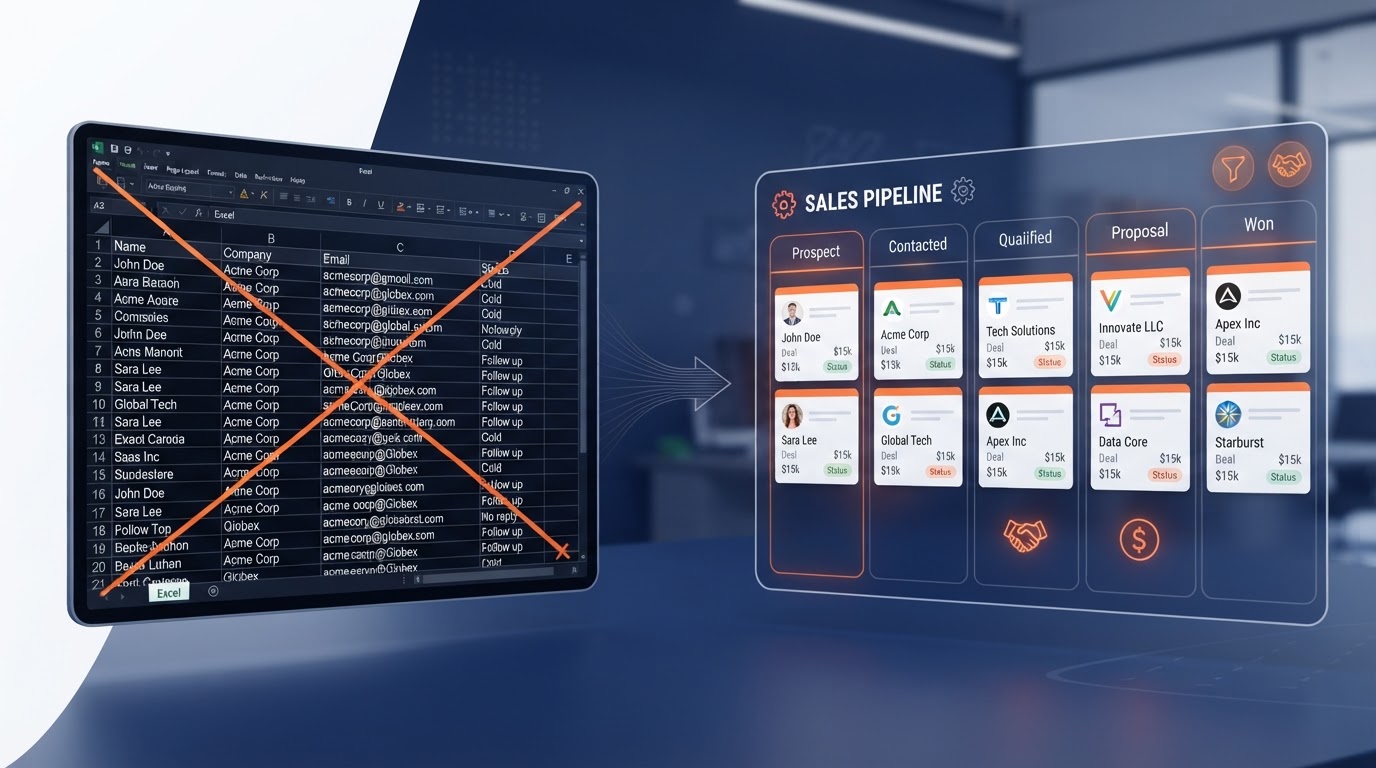
A CRM (Customer Relationship Management system) is not just a digital spreadsheet. It is an active system that manages every lead through the entire sales pipeline. It automates follow-up reminders, tracks every interaction, and connects to your website, phone system, and marketing tools so no lead is ever lost.
The difference is automation. When a lead comes in from your website, the CRM automatically assigns it to the right salesperson, sends an instant confirmation email to the lead, and sets a follow-up reminder for 24 hours later. If the lead is not contacted within 2 hours, the CRM escalates it. If the quote is not followed up within 3 days, the CRM sends a reminder. None of this requires human memory.
41%
average revenue increase per salesperson after implementing a CRM, according to HubSpot research
The 5 Things a CRM Does That a Spreadsheet Cannot
1. Automated Follow-Up Reminders
A CRM automatically reminds your team to follow up with leads at the right time. You set the rules: follow up after 24 hours, then after 3 days, then after 7 days. The CRM sends the reminder to the assigned salesperson. If the follow-up does not happen, the CRM escalates it to a manager. No lead is ever forgotten.
2. Instant Lead Response
When a lead comes in from your website, the CRM sends an instant automated response (email and SMS) within 60 seconds. This confirms receipt and tells the lead when to expect a personal follow-up. Research from InsideSales shows that responding within 5 minutes makes a lead 21x more likely to convert than responding after 30 minutes. A spreadsheet cannot do this.
21x
more likely to convert when a lead is contacted within 5 minutes versus 30 minutes, per InsideSales research
3. Full Pipeline Visibility
A CRM shows your entire sales pipeline on one screen. You can see how many leads are at each stage (new, contacted, quoted, won, lost). You can see the total value of your pipeline and your conversion rate at each stage. This lets you identify bottlenecks. If 80% of leads get quoted but only 20% close, the problem is in your quoting or follow-up, not in lead generation.
4. Customer Lifetime Value Tracking
A spreadsheet tracks leads. A CRM tracks customers. It records every purchase, every interaction, and every communication. This lets you calculate customer lifetime value (LTV) and identify your most valuable customers. You can see which marketing channels produce the highest-LTV customers, not just the most leads. This changes how you allocate your marketing budget.
5. Integration with Your Other Tools
A CRM connects to your website, your phone system, your email, your accounting software, and your marketing tools. When a lead fills in a form on your website, the CRM captures it automatically. When a customer calls, the CRM shows their entire history on screen. When a quote is accepted, the CRM creates an invoice in your accounting system. A spreadsheet cannot integrate with anything.
How to Migrate from a Spreadsheet to a CRM
Moving from a spreadsheet to a CRM does not have to be complex. The key is to start with the core pipeline (lead, contacted, quoted, won, lost) and add complexity later. Do not try to build the perfect system on day one. Start simple, get your team using it, and refine.
Step-by-Step Migration
- Choose a CRM that integrates with your website and phone system. The integration is more important than the feature list.
- Import your existing spreadsheet leads. Map each column to a CRM field (name, email, phone, status, notes).
- Set up your pipeline stages. Start with 5: New Lead, Contacted, Quoted, Won, Lost. You can add more later.
- Set up automated follow-up reminders. Start with one rule: remind the assigned salesperson to follow up 24 hours after a lead comes in.
- Set up instant lead response. When a lead comes in from your website, send an automated email within 60 seconds.
- Train your team. The CRM only works if your team uses it. Make it the single source of truth for all lead and customer information.
The ROI of Replacing Your Spreadsheet
Businesses that implement a CRM see an average 41% increase in revenue per salesperson, according to HubSpot. This is not because the CRM makes salespeople better at selling. It is because the CRM ensures every lead is followed up, every quote is chased, and every customer is nurtured. The revenue was always there. The spreadsheet was just letting it leak away.
If your business generates 100 leads per month and your average customer is worth £2,000, improving your lead conversion from 15% to 25% (a realistic CRM impact) adds £20,000 in monthly revenue. That is £240,000 per year, from the same number of leads, just by stopping the leaks.
Many service businesses believe their spreadsheet is working fine. In our experience, the move to a connected CRM often reveals a significant share of leads lost to poor follow-up — and the same leads, once followed up consistently, start converting at a noticeably higher rate.
— Business Relauncher Growth Team
When to Make the Switch
If you are managing more than 20 leads per month, you need a CRM. If you have more than one person handling leads, you need a CRM. If you have ever lost a deal because nobody followed up, you need a CRM. The cost of a CRM is a fraction of the revenue it recovers. The cost of a spreadsheet is the revenue it loses.